顯示具有 PowerShell 標籤的文章。 顯示所有文章

2019年8月4日 星期日

Windows 10 自動更新後開始功能表無法下拉

w-studio.idv.tw

換新電腦還沒幾天, Windows 10 就自動跑更新, 接著發現「開始功能表」怎麼突然無法下拉, 點任何圖示都無反應, 然後「開始功能表」又自己關掉, 上網問了估狗大神後找到解決方法

開啟powershell, 執行 dism /online /cleanup-image /restorehealth
再重新開機就好了

2019年1月12日 星期六

2018年11月30日 星期五

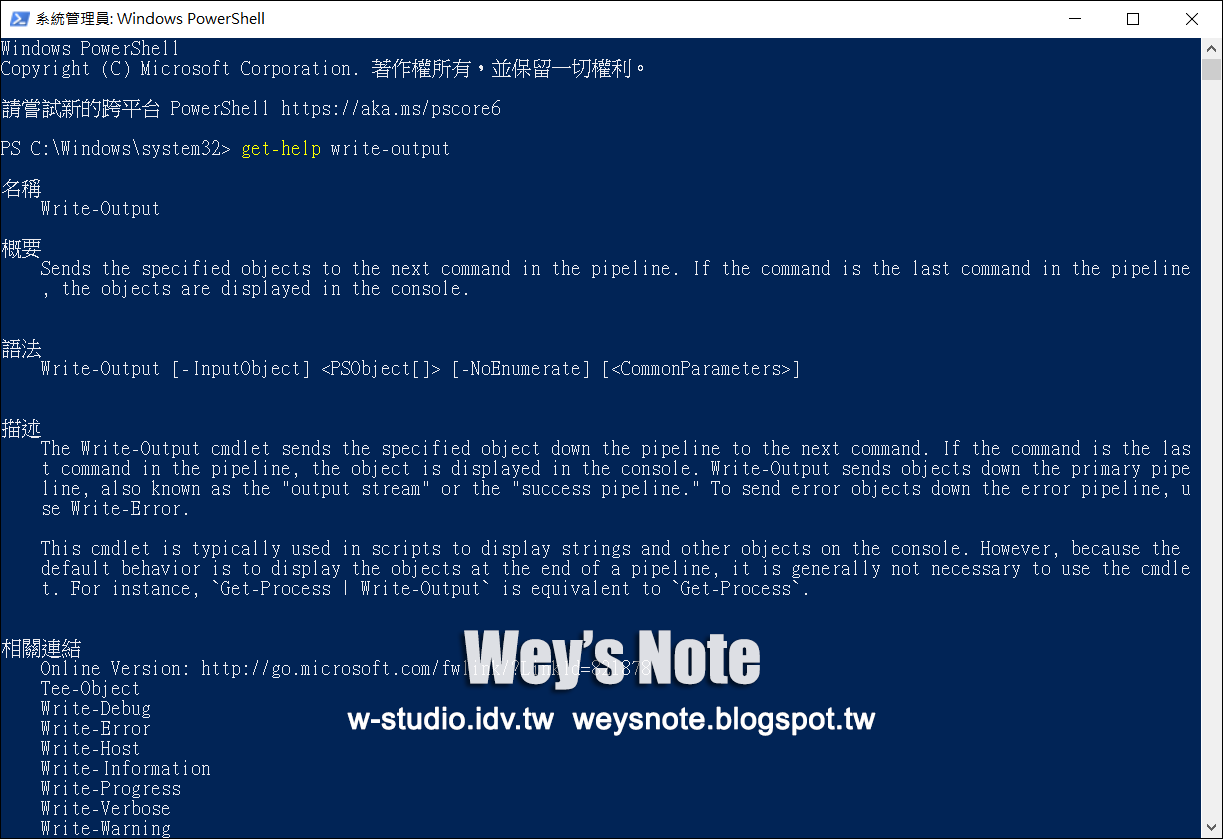
Write-Host 與 Write-Output

在練習 PowerShell 時, 看到兩個很類似的指令: Write-Host 與 Write-Output

查了一下微軟的說明:
Write-Host:
自定義輸出, 可以使用 ForegroundColor 參數指定文字的顏色, 也可以使用 BackgroundColor 參數指定背景顏色, 使用 Separator 參數可以指定一個字串來分隔顯示的物件

Write-Output:
將指定的物件發送到管道中(pipeline)的下一個命令, 如果該命令是管道中的最後一條命令, 則物件將顯示在控制台(console) (就是顯示在畫面上)

Write-Output沿主管道(或稱為"輸出流"或"成功管道")發送物件, 如要將錯誤物件發送到錯誤管道, 則使用Write-Error

此指令通常在指令碼中使用, 用以在控制台(console)上顯示字串和其他物件, 但是由於默認行為是在管道的末尾顯示物件, 因此通常不必使用指令, 例如 Get-Process | Write-Output 等於 Get-Process

2018年11月10日 星期六

使用PowerShell管理ADDS物件

1. 使用 PowerShell管理使用者
。New-ADUser: 建立使用者帳戶
。Set-ADUser: 修改使用者帳戶的屬性
。Remove-ADUser: 刪除使用者帳戶
。Set-ADAccountPassword: 重設使用者帳戶的密碼
。Set-ADAccountExpiration: 修改使用者帳戶的到期日
。Unlock-ADAccount: 當使用者帳戶因超過可接受的錯誤登入嘗試次數而被鎖定時, 解鎖該帳戶
。Enable-ADAccount: 啟用使用者帳戶
。Disable-ADAccount: 停用使用者帳戶

範例: New‑ADUser "Tom Cruise" ‑AccountPassword (Read‑Host ‑AsSecureString "Enter password") ‑Department ITw-studio.idv.tw

2018年2月5日 星期一

Windows Server 2016 一些 DNS 的 Powershell

Windows Server 2016 一些 DNS 的 Powershell 基本記憶方式:

Add-DnsServer***
Set-DnsServer***
Get-DnsServer***

先輸入上面 Powershell, 再按 TAB 鍵叫出需要的指令

2017年12月2日 星期六

PowerShell Direct 與 PowerShell DSC

。PowerShell Direct:
Windows 10 和 Windows Server 2016 的新功能, 在虛擬機不需設定網路及防火牆的狀態下, 從主機進入(帳號登入)到虛擬機的環境執行 PowerShell

指令範例:
Enter-PSSession -VMName [VMName]
Invoke-Command -VMName [VMName] -ScriptBlock {<Windows PowerShell commands>}


2017年10月11日 星期三

執行 PowerShell 出現:因為這個系統上已停用指令碼執行,所以無法載入

執行 PowerShell 時出現:「因為這個系統上已停用指令碼執行,所以無法載入」


因為安全性問題,預設PowerShell的執行原則是關閉的,對於不明指令是不會執行。